
updateWhat's new
What's new in Wasoolo 2.3.2: your qist price, and the profit on every khata
Wasoolo 2.3.2 lets you type any installment total and divides it between the items, and every khata now shows what the goods cost and what you made.
Everything 2.3.2 brings, in one list
- 1Type any installment totalPut the full price on the plan page; the items divide it between themselves.
- 2Purchase and profit on the khataWhat the goods cost you and what you made, on the balance card.
- 3Two permissions, one shop switchYour team sees the purchase or the profit only if you allow it.
- 4Zakat with one decimalRs 6,612.5 instead of being rounded up to the whole rupee.
- 5New-video alerts arriveThey reach your phone now, once, and only during the day.
Wasoolo 2.3.2 gives the installment plan its Total box back: type the full price the customer will pay, and the items divide the extra between themselves. Every khata also starts showing what the goods cost you and what you made on them. Zakat gains a decimal, and the new-video alert finally arrives.
Everything 2.3.2 brings, in one list
- 1Type any installment totalPut the full price on the plan page; the items divide it between themselves.
- 2Purchase and profit on the khataWhat the goods cost you and what you made, on the balance card.
- 3Two permissions, one shop switchYour team sees the purchase or the profit only if you allow it.
- 4Zakat with one decimalRs 6,612.5 instead of being rounded up to the whole rupee.
- 5New-video alerts arriveThey reach your phone now, once, and only during the day.
Type any total on the installment plan
Open a khata that has items on it, choose Installments, and the plan page's Total amount is yours to type again.
Whatever you put there is the full price the customer pays. The app compares it with what the items already add up to, and the difference becomes the plan's profit. It is filled into the Profit % box for you, and written under it in rupees so you can see the amount, not just a percentage.
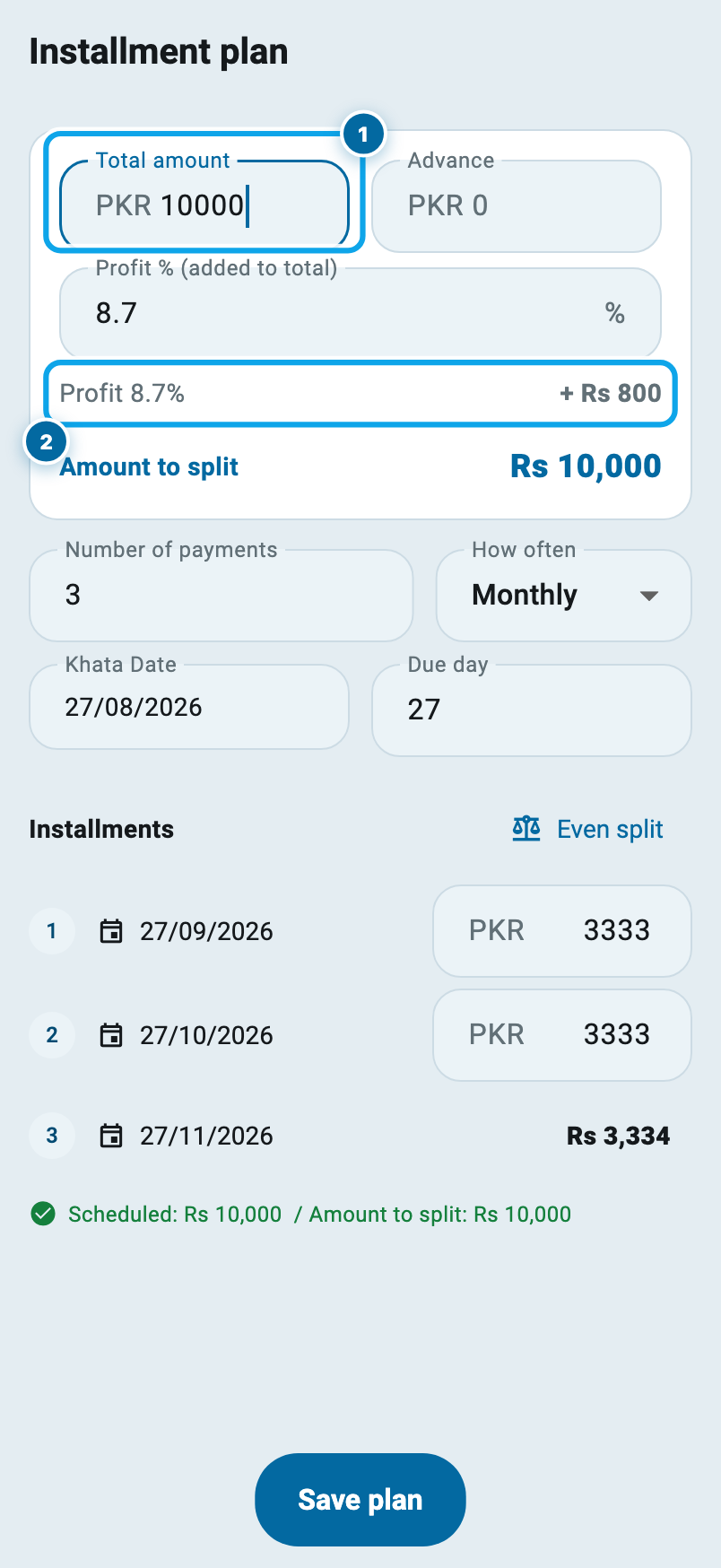
You can type the percentage instead and watch the total move. They are two handles on one number.
What the extra does to each item
Say the khata has two items: a fan at Rs 4,000 and an iron at Rs 5,200. Together that is Rs 9,200. On installments you want Rs 10,000.
Type 10,000 and the Rs 800 does not sit in a corner by itself. It is divided between the two items in the same proportion as their own prices:
- the fan, 4,000 of the 9,200, becomes Rs 4,347.83
- the iron, 5,200 of the 9,200, becomes Rs 5,652.17
Together, exactly Rs 10,000. Never a rupee more or less, whatever the numbers are.
Two things are worth saying plainly. First, these rates belong to this khata only. Your product's own selling rate in Products does not move, so the next khata still opens at the old price. Second, you may type a total below the items' price when you want to; the app allows it and shows the loss in red rather than pretending.
Every khata shows its purchase and its profit
On the khata page, under Sale, Paid and Late, there is a new line: what those goods cost you, and the profit on them.
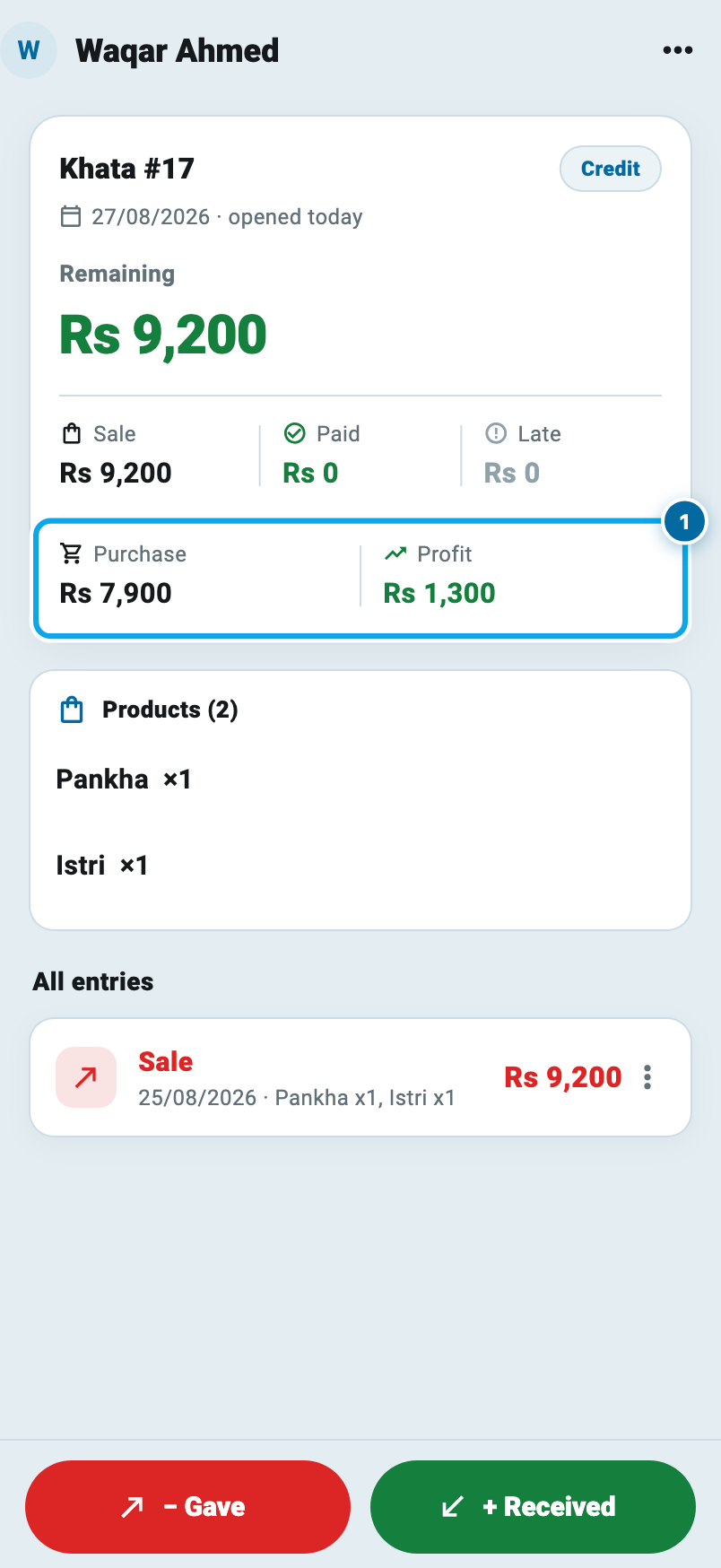
It appears on any khata whose items carry a purchase rate, and it says so when some of them do not. The profit is worked out only from the items whose kharid rate you actually wrote, so it is never a guess.
Set the qist price above and come back, and the profit has followed the money:
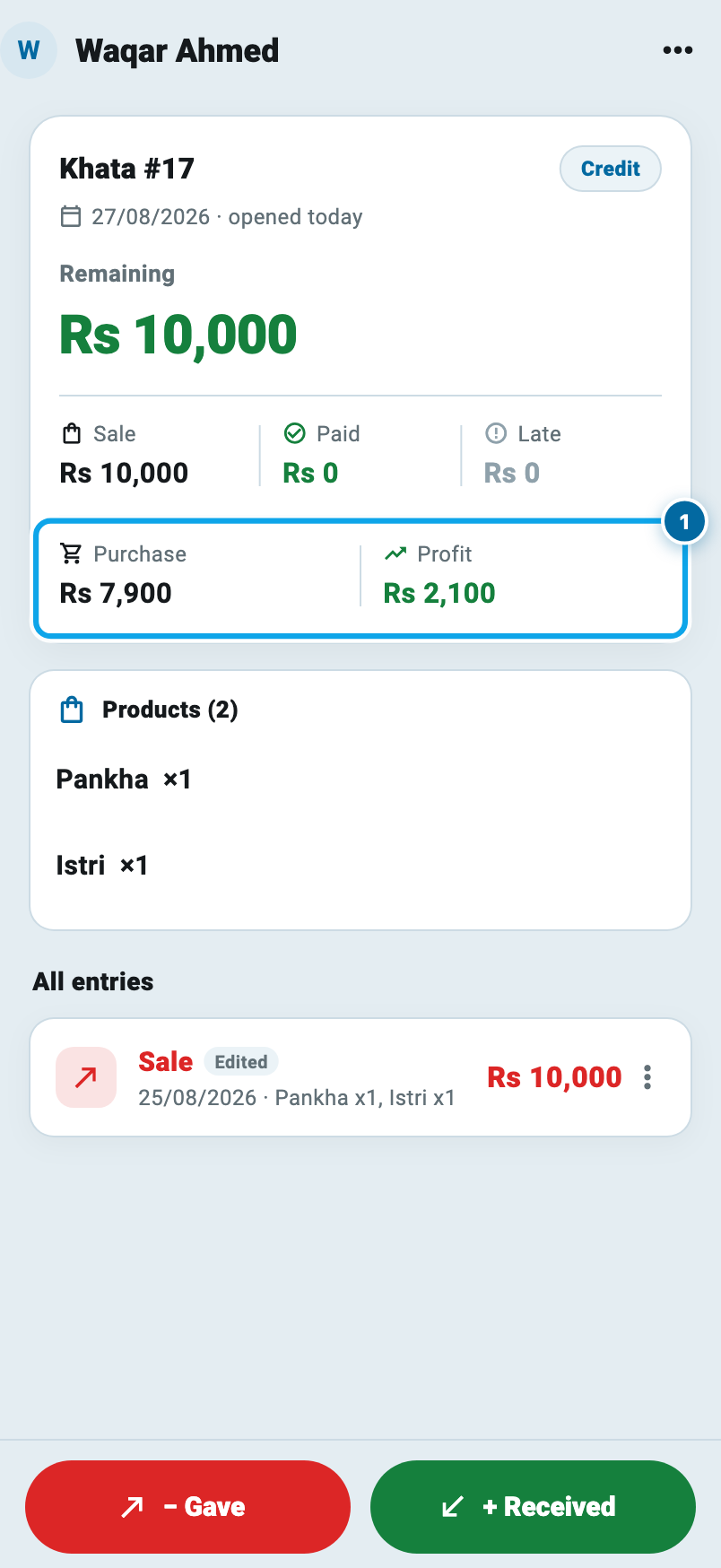
The purchase is unchanged at Rs 7,900, because you did not buy the goods again, and the profit has moved from Rs 1,300 to Rs 2,100. That is your Rs 800, sitting where it belongs.
Deciding who sees it
This is money you may not want a helper reading, so it sits behind the same two permissions the product pages use. See the buying rate shows the purchase figure. See profit shows the profit. They work separately: you can hand out one without the other, and a team member with neither simply does not see the line at all. Nothing is blurred or dotted out.
And if you would rather nobody in the shop saw it, including yourself, Settings has one switch, Show purchase & profit on khata, that hides the whole line for the whole shop.
Zakat, with a decimal
The Zakat screen used to round its answer up to the whole rupee. It now shows one decimal, so a zakat of Rs 6,612.5 reads as Rs 6,612.5.
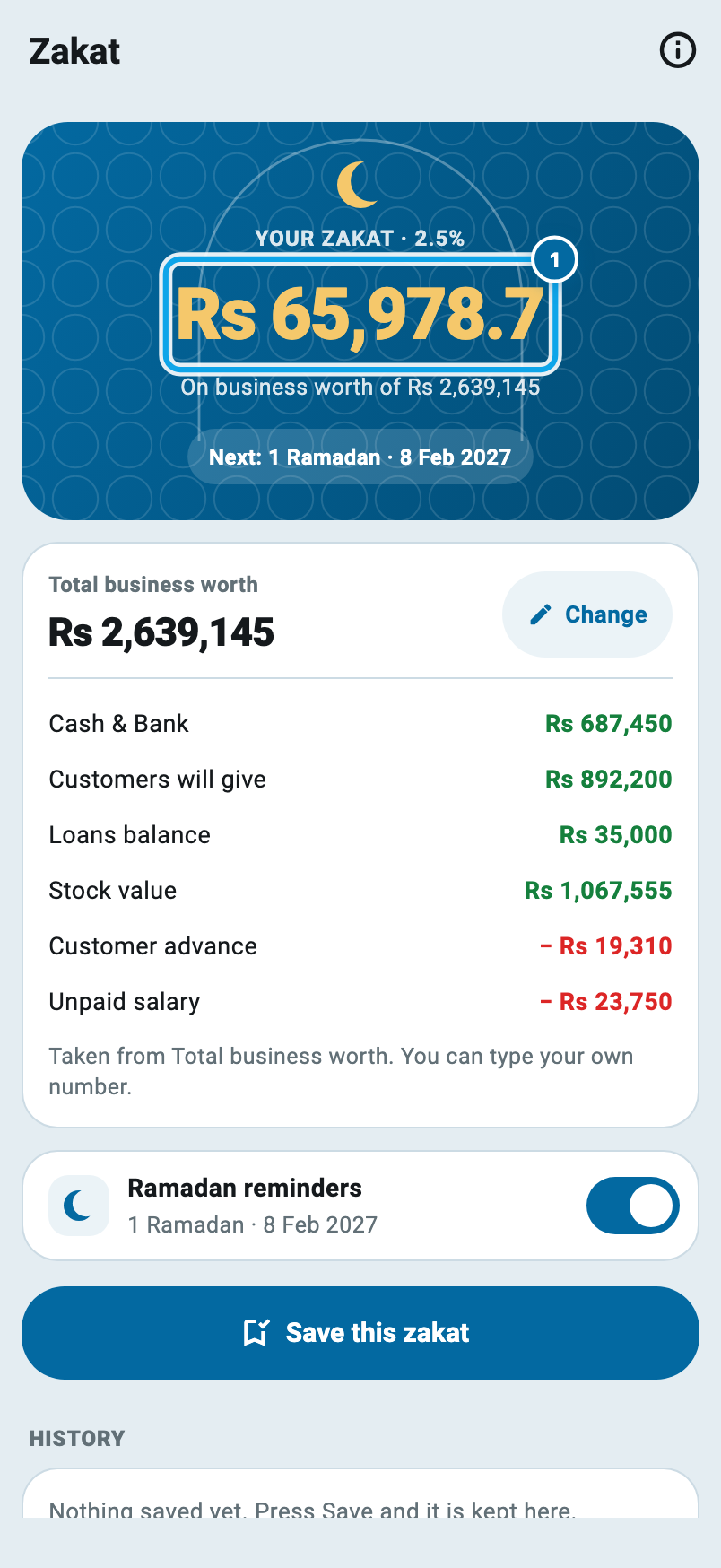
Anything you saved earlier keeps the figure it was saved with.
The new-video alert now arrives
If you follow the Wasoolo course, you will have noticed that the "New Wasoolo video" alert landed in your alerts list and your phone stayed quiet. That is fixed on our side. You do not need to do anything, and older versions get it too.
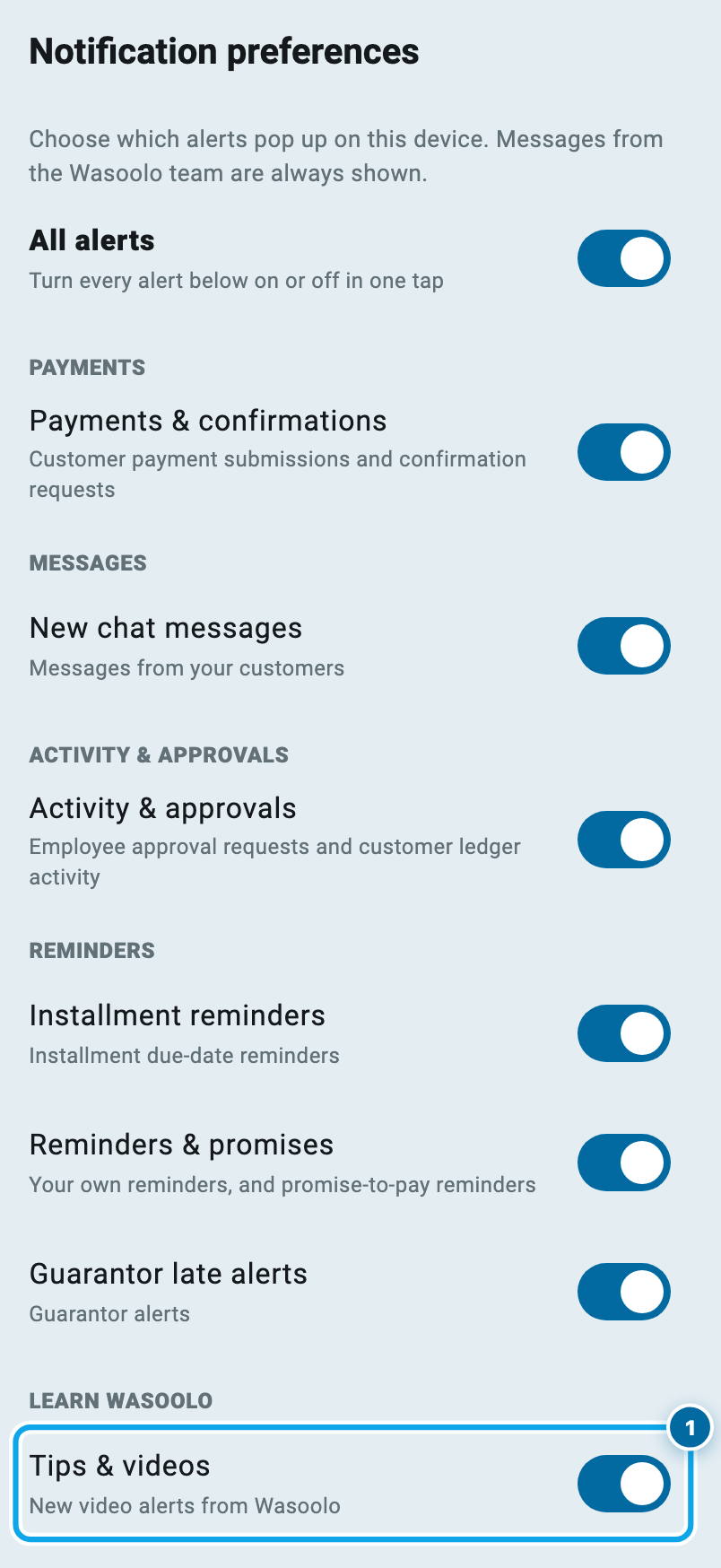
Two details came with the fix. It only goes out during the day, so a video posted at midnight does not wake you. And the Tips & videos switch under Notifications now silences it properly, everywhere.
Common questions
Does changing the installment total change my product's selling rate?
No. The new rates belong to that one khata. Your product keeps the rate you set in Products, so the next khata you open still starts from the old price.
What if I type a total lower than the items add up to?
The app allows it. The items come down in the same proportion, and the plan page shows the loss in red so you can see what you have agreed to. Nothing is hidden and nothing is blocked.
Can I still use the Profit % box the old way?
Yes. Type a percentage and the total fills itself in; type a total and the percentage fills itself in. On a khata with items the profit now rides inside the items instead of sitting as a separate line, which is why it shows up in the khata's profit.
Why does my khata not show the purchase and profit line?
Because none of its items carry a purchase rate yet. Write the kharid rate on an item and the line appears. If some items have a rate and others do not, the line says how many were left out.
Can my helper see the profit on a khata?
Only if you switch it on for them. "See the buying rate" and "See profit" are separate permissions and both start off. There is also one switch in Settings that hides the line for the whole shop.
Will this update change any of my old khatas?
No. Nothing is rewritten. The new line reads what is already stored, and an old installment khata keeps its numbers until you open its plan and change the total yourself.
Wasoolo is 100% FREE to download on Android and iPhone. If installments are new to you, the qist class walks through a full plan, working out what the shop really earns is a job of its own, and cash and bank gives every rupee somewhere to land.